Merging Customer Data
Merging Customer Data for Improved Store Management (Portal)
This process allows you to merge duplicate customer accounts into a single, consolidated record within the Portal.
Steps to Merge Customer Accounts
- Navigate to Customer Maintenance in the Portal.
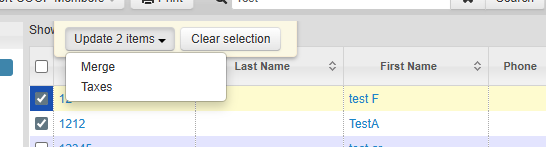
- First, select the customer account you want to merge from (this account will be absorbed into the other).
- Then select the customer account you want to merge into (this will be the primary account that remains).
- Click Update 2 Items.
- Select Merge.
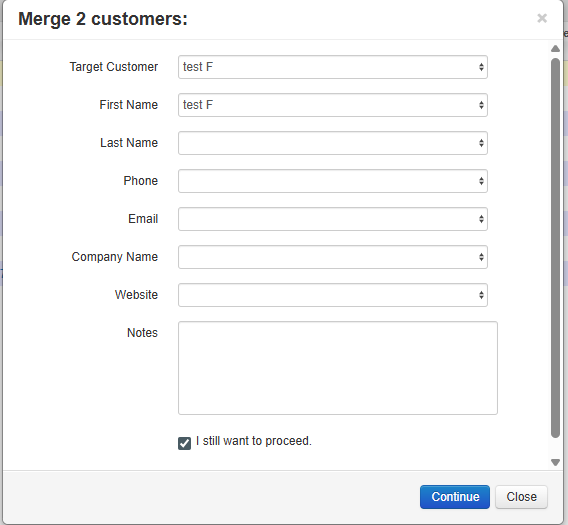
- When prompted, confirm by selecting I still want to proceed, then click Continue.
- The accounts will merge successfully. A confirmation message will appear stating “Merged Successfully.”
Notes
- The “merge into” account will remain active.
- All applicable customer data from the secondary account will be combined into the primary account.
- This action cannot be undone—ensure the correct accounts are selected before confirming.

