Uploading Your LDB Order to the LDB Site
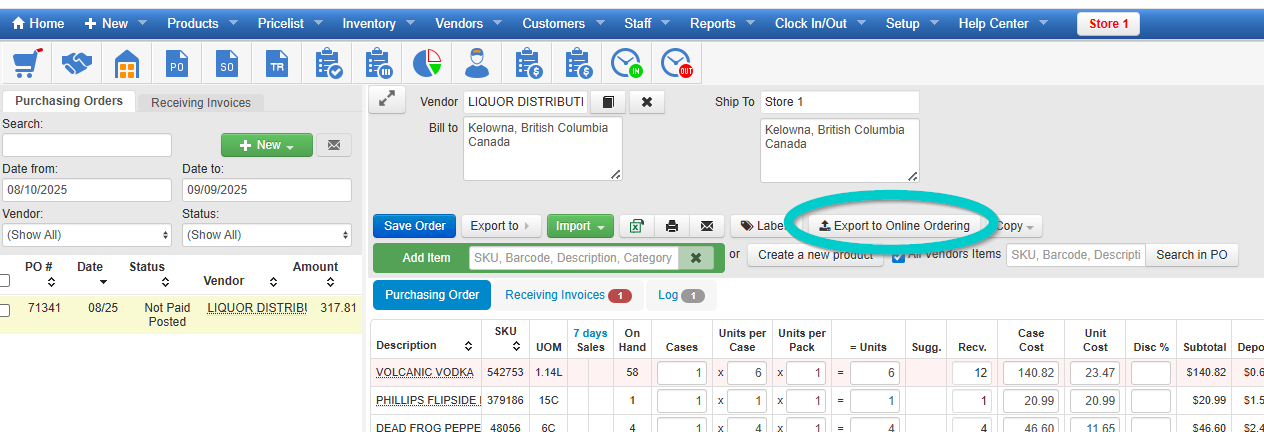
After you have created your LDB order
After you have created your LDB order, click it to open it on the Purchasing Orders page and click Export to Online Ordering. The Order file will save to your Downloads or folder you choose.
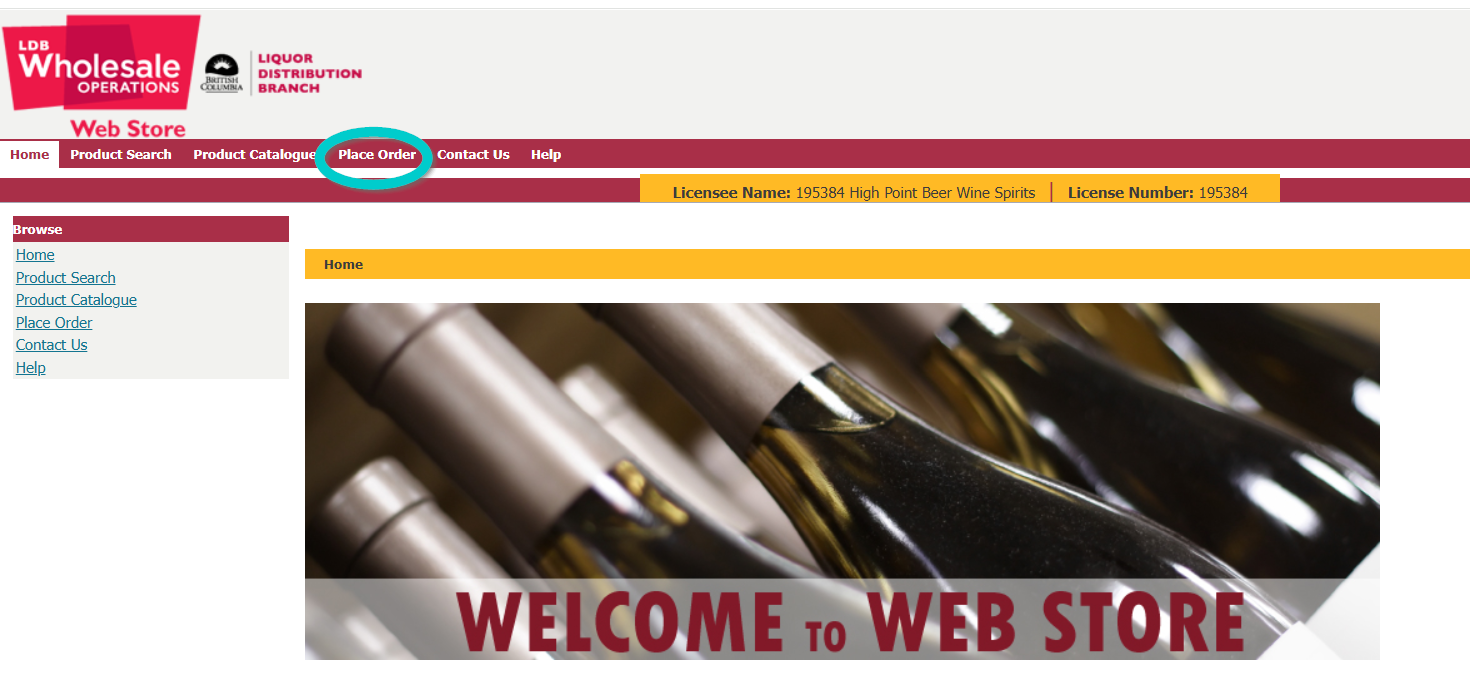
Log into the LDB site
Log into the LDB site and click Place Order.
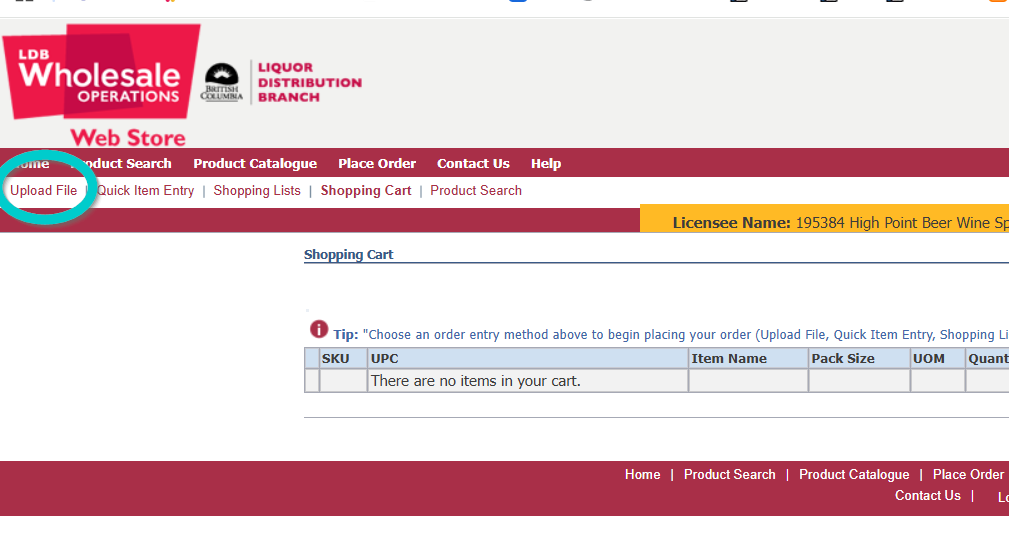
Then click “Upload File”
Then click Upload File
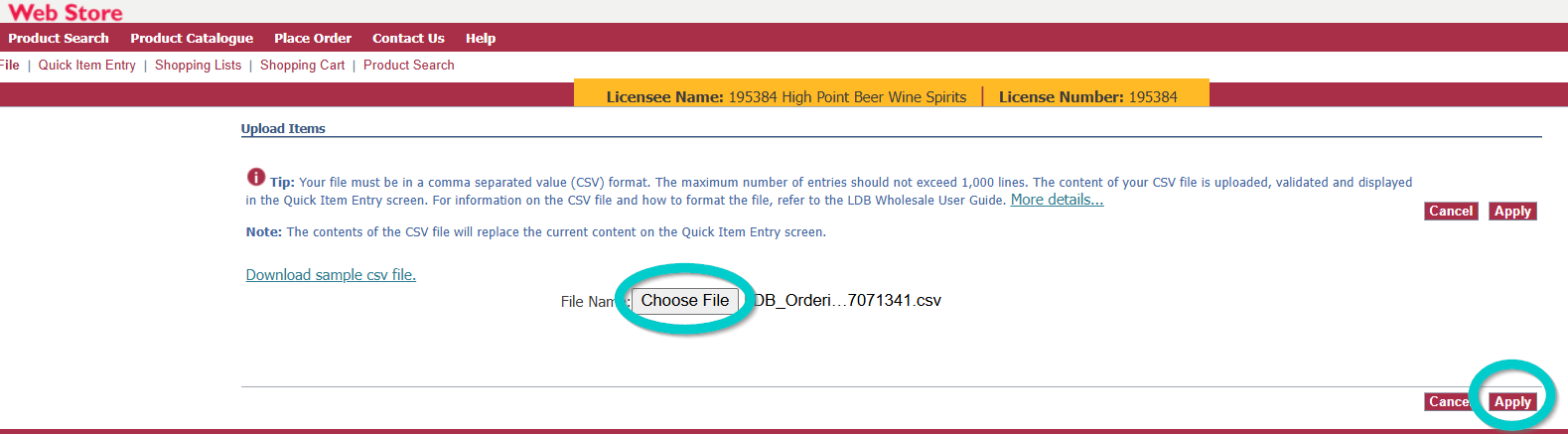
Choose your file then click “Apply”
Choose your file then click Apply. Look over the order to make sure it all looks correct. It is possible that if you do not have Units Per Case and Order by Case, etc. set correctly in Barnet that you could end up ordering 12 Cases instead of 12 Bottles for example, then continue Adding the order to your cart and Submitting though the LDB site.