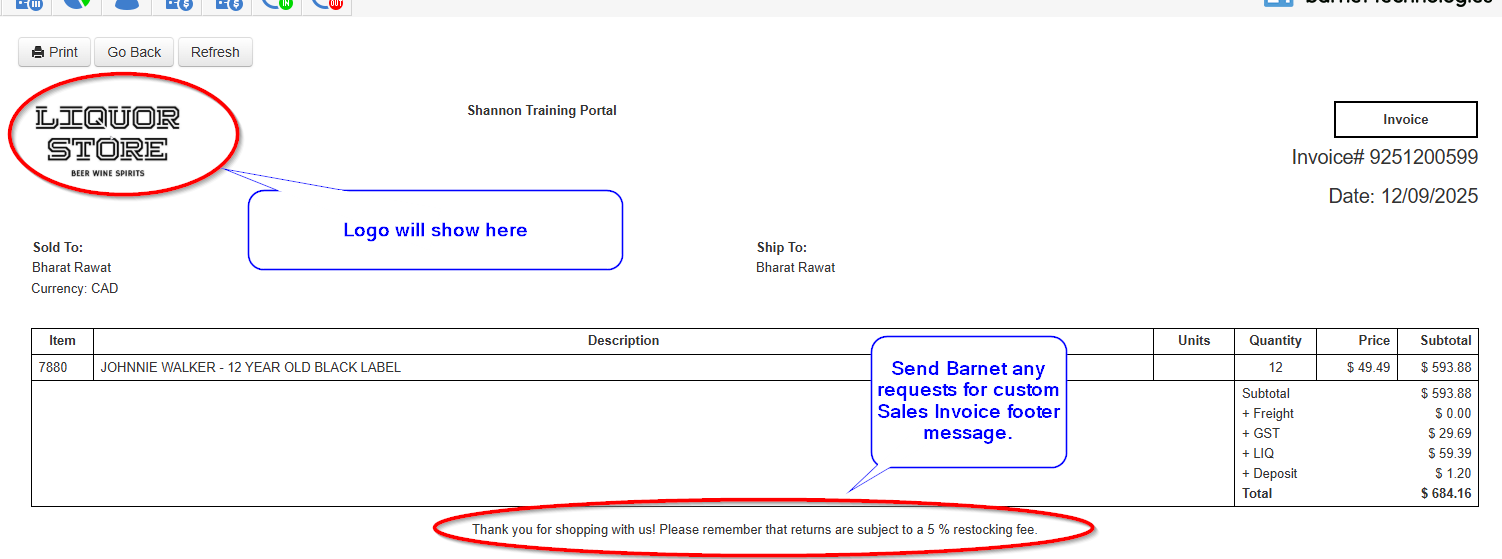
Customizing Sales Invoices
Add Your Store Logo
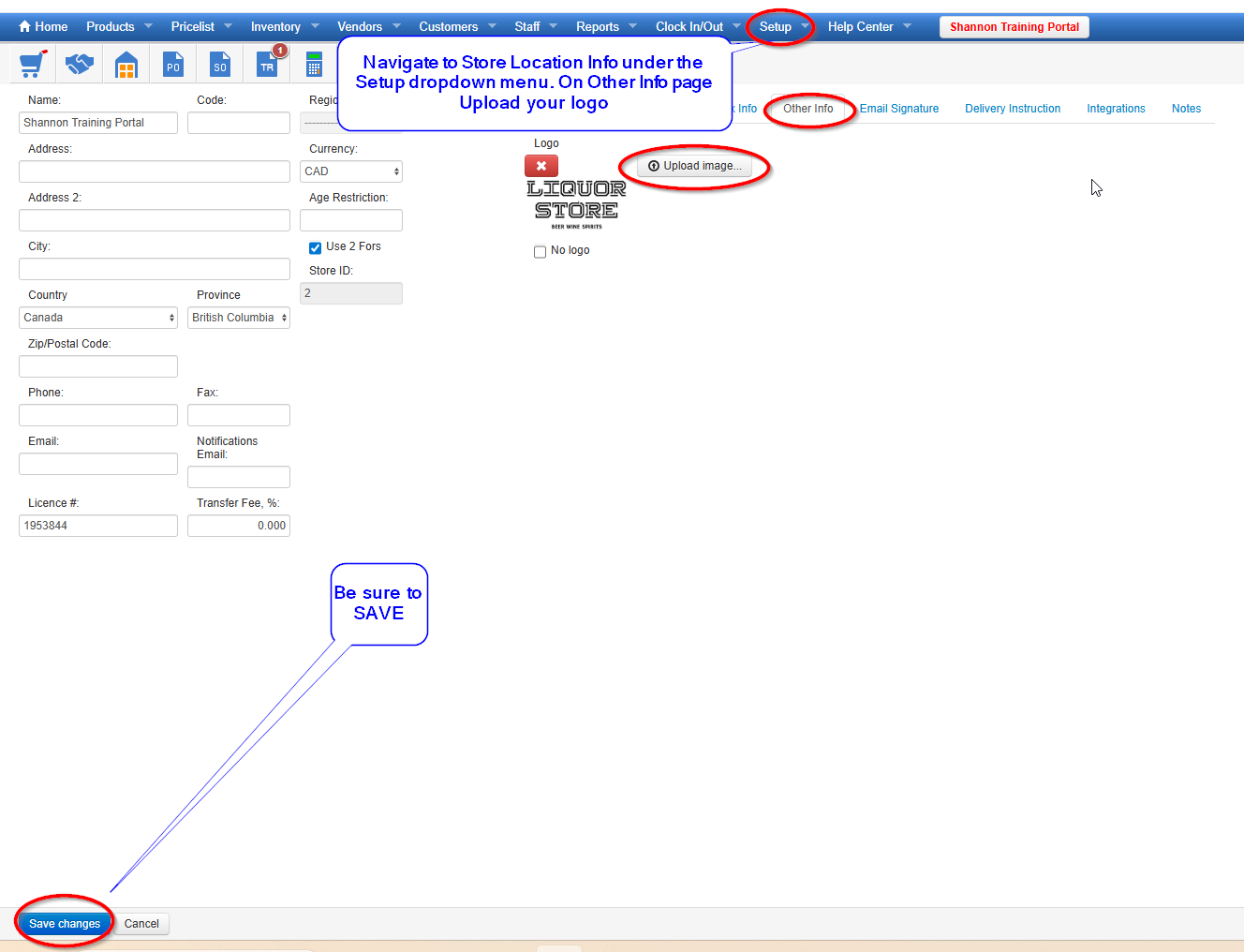
You can add your logo to Sales Invoices by following these steps:
- Go to Setup → Store Locations
- Open your store record
- Select the Other Info tab
- Upload your logo in PNG or JPG format
- Save your changes
Your logo will now appear on printed and emailed Sales Invoices.
Custom Sales Invoice Footer
Barnet Support can add a custom footer to your Sales Invoices (e.g., return policies, legal text, or store messages).
- Email your request to support@barnetbc.com, or
- Submit a ticket through the Help Center
Please include the exact text you would like added to the footer.