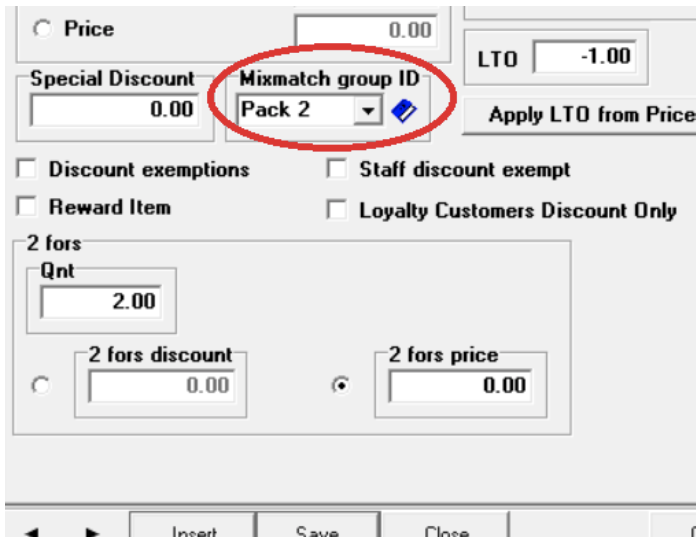
Using the Barnet POS Mix Match
Using the Barnet POS – Mix Match Setup
Under POS Manager
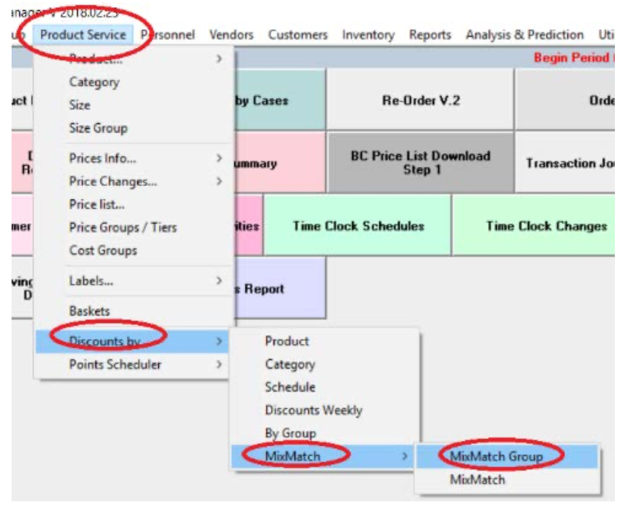
- Go to MixMatch Group (Product Service > Discounts by > MixMatch > MixMatch Group)
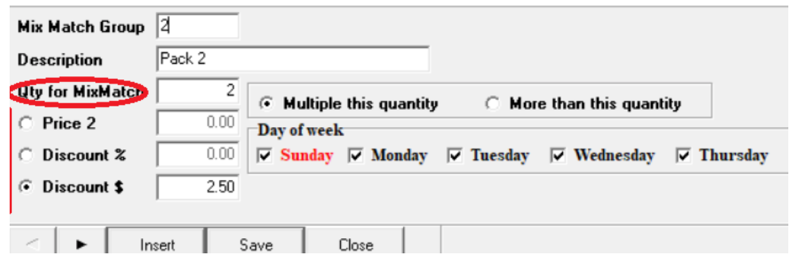
Add new MixMatch group as seen below:
- Go to Product Maintenance
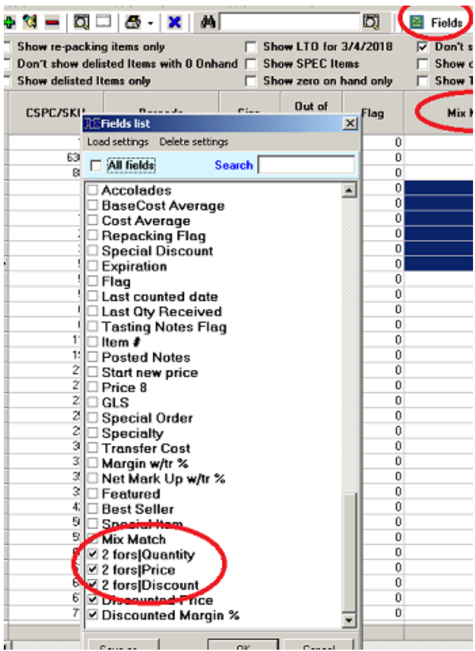
- Under Fields: check Mix Match, 2Fors-QTY, 2Fors-Discount, 2Fors-Price
- Using Apply for All to populate the fields Mix Match by the Mix match group
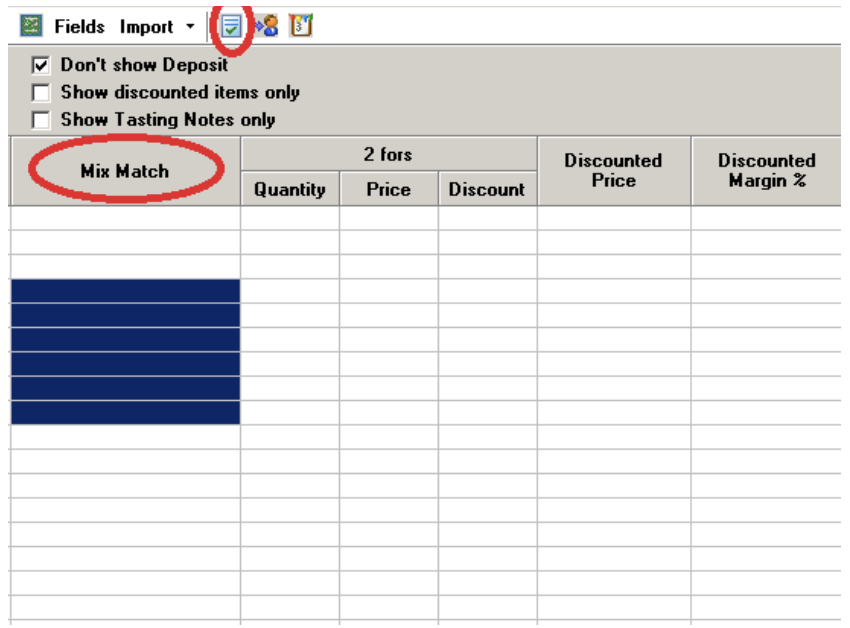
Or one by one: