Pack Rate
In retail, larger ‘pack sizes’ are often broken down into single units. The issue with this, is often the single unit is branded with the same CSPC/SKU and UPC as the larger pack size. Here is how to set up a single item so the product will scan at the till and update the inventory automatically.
Create Single Item in Product Maintenance
Example: Original Product
BUDWEISER 6 PACK CANS
CSPC/SKU ID is 904334
Product ID (barcode) is 62067335341
Create the new item:
- Click on the + symbol in the upper left corner
- New CSPC/SKU:
1904334(Add a1before the original CSPC/SKU) - New PRODUCT ID (barcode):
162067335341(Add a1before the original) - New DESCRIPTION:
BUDWEISER SC - Select REPACKING as the Vendor
Fill in the remaining product information.
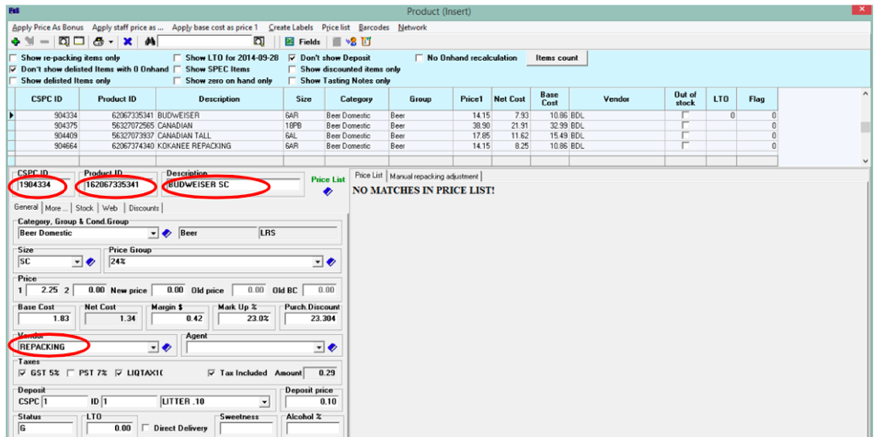
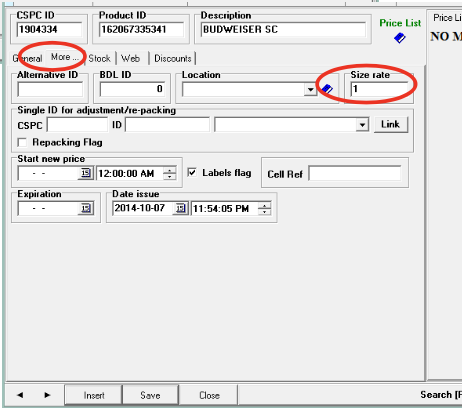
- Select the More Tab and set the Size rate to
1 - Click Save
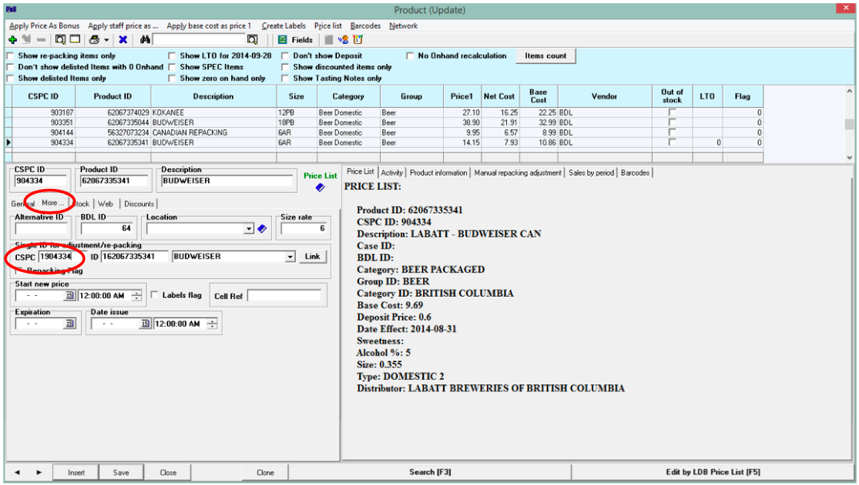
Link your new item to the original item
- Open the original item (i.e.: BUDWEISER 6 PAK CANS
604334) - Under the More tab, enter the new item’s CSPC/SKU in the SINGLE ID ADJUSTMENT box (The ID and DESCRIPTION should fill in automatically. If not, the wrong CSPS/SKU may have been entered)
- Click Save
- Close out of Product Maintenance to move on to the next step
Set automatic singles adjustments for inventory purposes
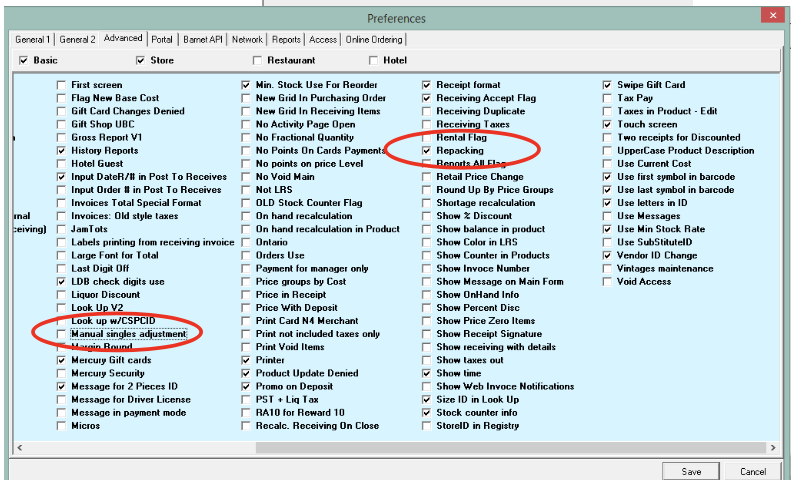
- Go to: Setup > Preferences > General
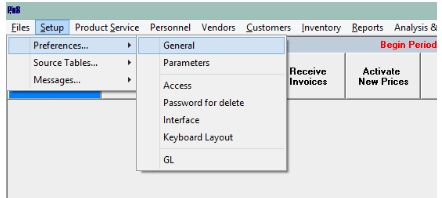
- Select the Advanced tab
- Verify that the Manual singles adjustment is not checked, and Repacking is checked.
Sell a Single Item
Press the SINGLES button and scan the item (You may or may not have a SINGLES button depending on your screen set-up. If you do not have a SINGLES button, please refer to: Speed Button Set-Up or ask for assistance.)
Notes
The linked product will reflect the appropriate adjustment(s) created by sales of the singles item whenever an Inventory Report (Closing, Shortage, Licensee etc.) is produced.
For inventory purposes, all singles are converted back to their original pack size after posting closing counts. (It is best to double count repacking items before posting.)
When reordering using the Re-order Guides, singles sales will not show. The original pack size will reflect sales and suggest an order amount based on them.
Manual adjustments may still be made from Receiving for any products that have not been linked.

