Staff - Maintenance Original
Personnel
On the till’s computer:
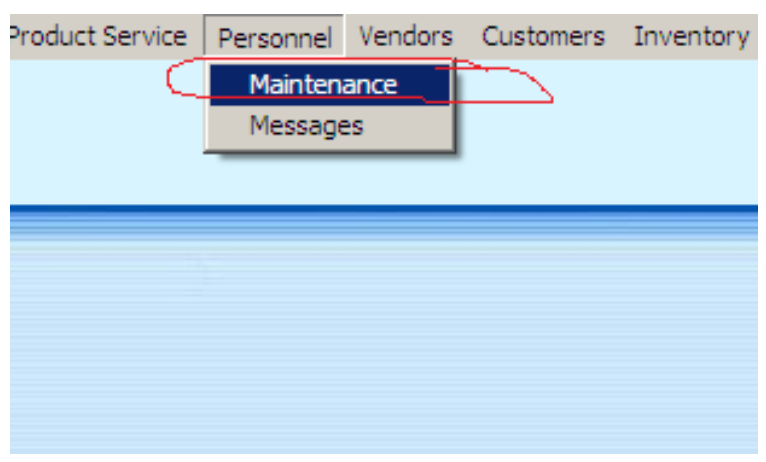
- Open POS Manager. Go to: Personnel > Maintenance
- To add new record, press +
To update the record: highlight and press
 or Enter button
To delete the record: highlight and press
 or Del button
-
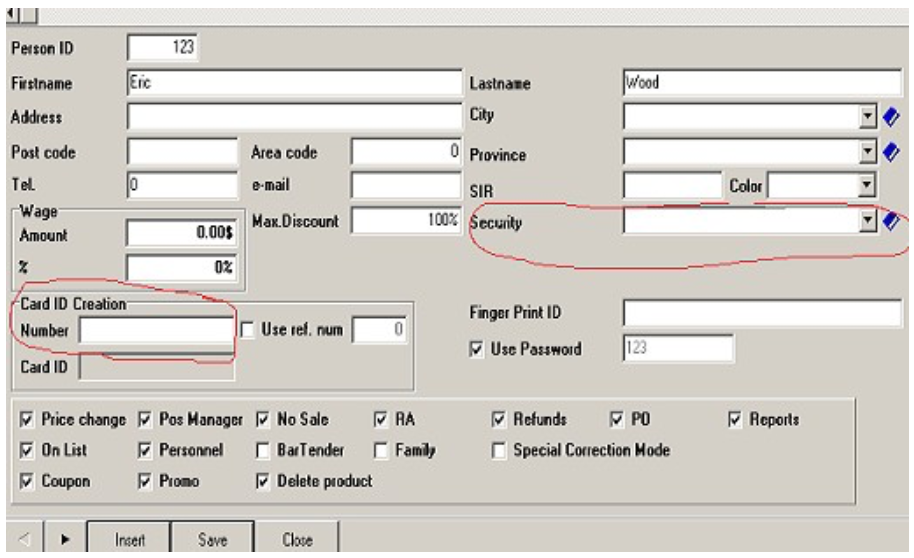
Enter
- Person ID
- First Name
- Last Name
- Security: select from the drop down box
-
Put the cursor to the Card ID Number edit box and swipe the card!
-
Press Save

