Countries, Varietals and Specialties
Product Classification - Countries, Varietals and Specialties
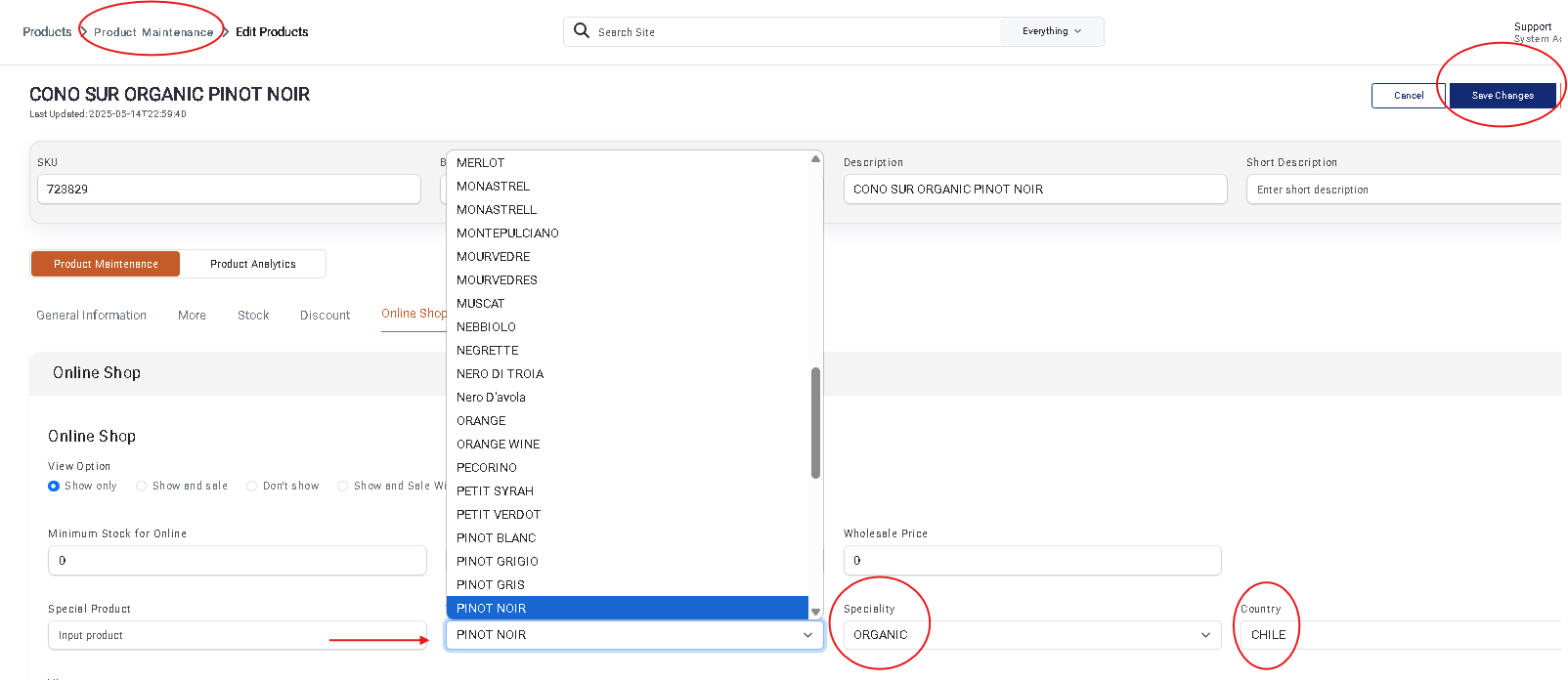
In the Product Maintenance section under the Online Shop tab, you can classify your products by Country/Province, Varietal, Style, and Specialty (e.g., Organic, Gluten Free, etc.).
Adding New Classifications
To add new entries:
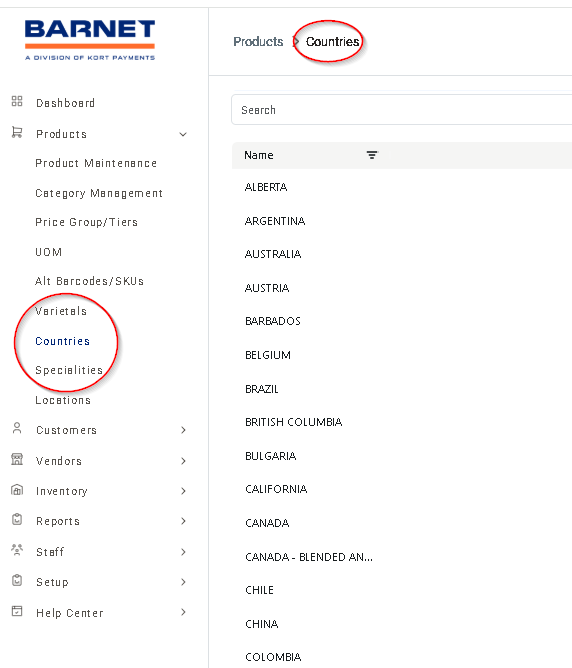
- Go to the Product dropdown menu and select the relevant table: Countries, Varietals, or Specialties.
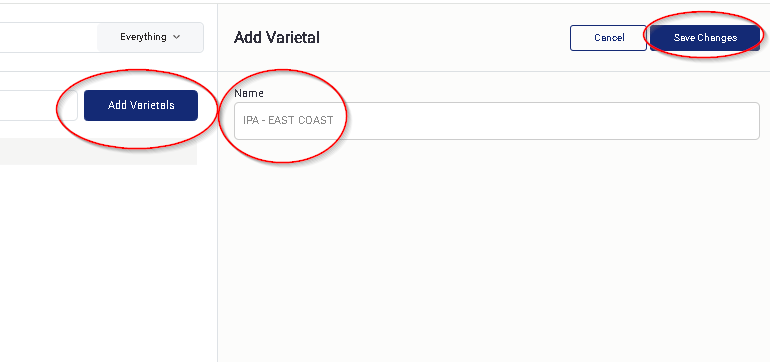
- Click the Add New button to create a new entry.
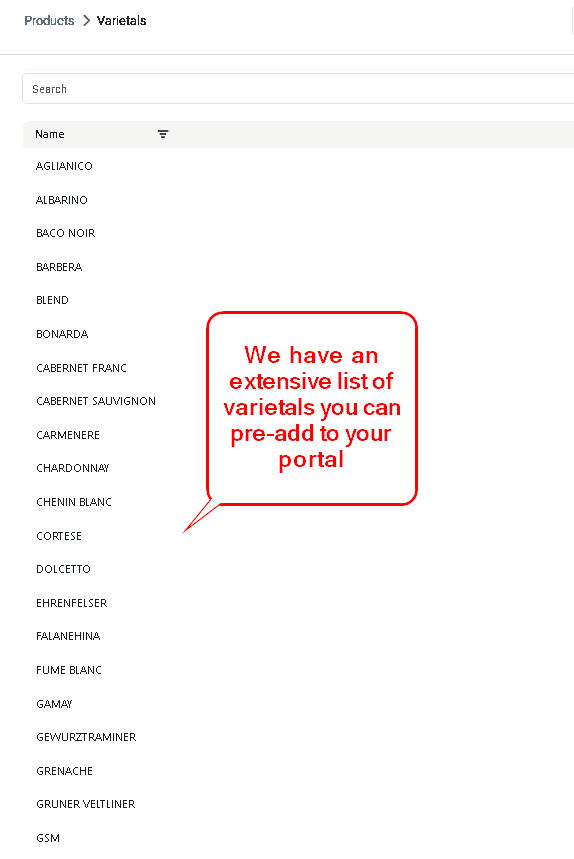
- Example: Adding “IPA” to the Varietals list.
- You can either create your own varietals or request a full pre-loaded list to save time.
Editing or Deleting Classifications
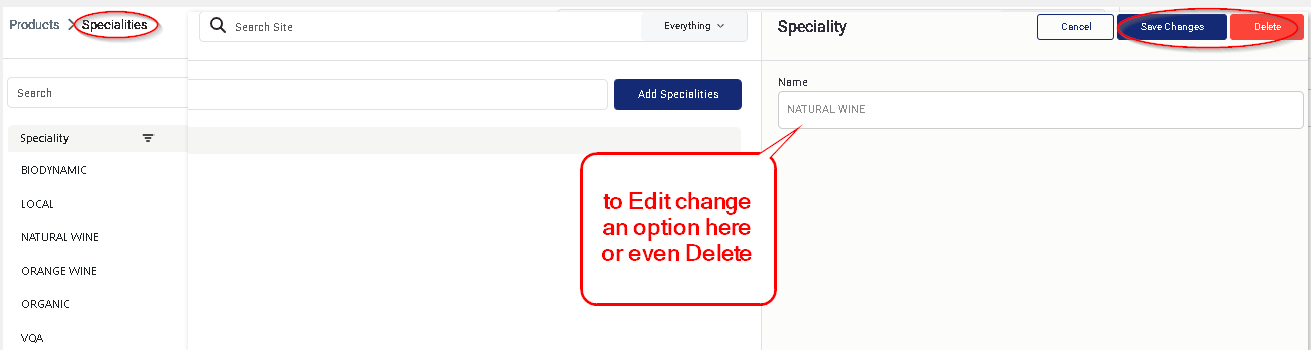
To update or remove a classification:
- Select an entry from the list, then use the Edit or Delete options on the right side of the screen.
Applying Classifications to Products
- Go to the Online Shop tab within Product Maintenance to assign these classifications to individual products.
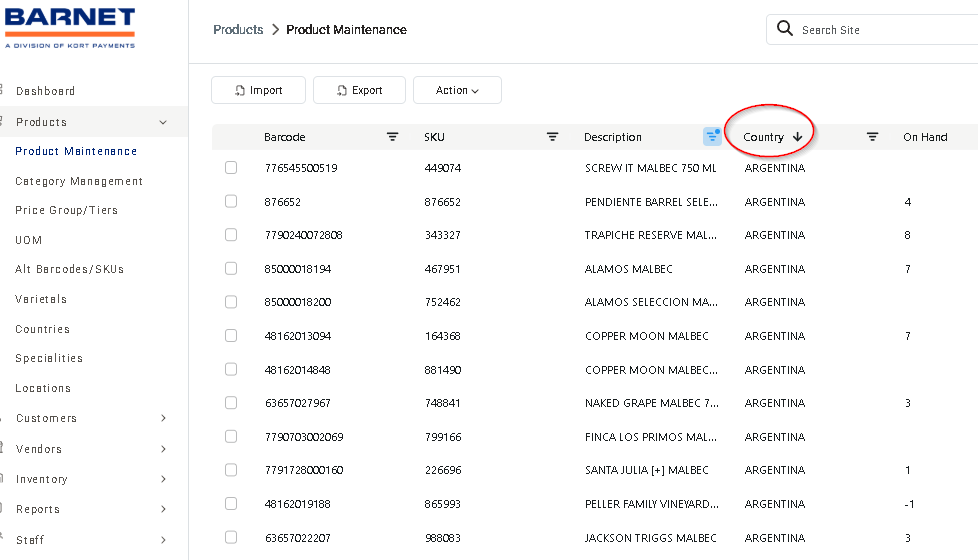
- Use the Product Maintenance grid to sort and filter your product list by Country, Varietal, or Specialty.