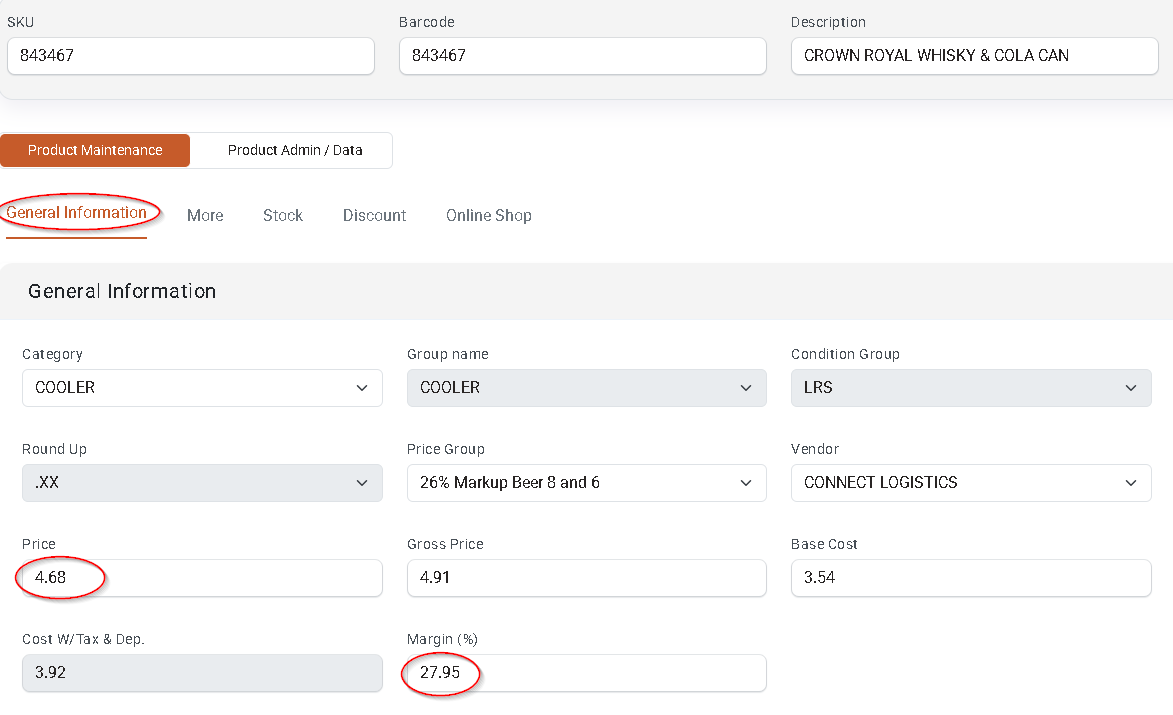
Filter for SKUs with New Cost to Consider Price Updates
After receiving invoices or manually updating product costs, you can filter for SKUs with new costs in Product Maintenance to review whether shelf prices should be adjusted.
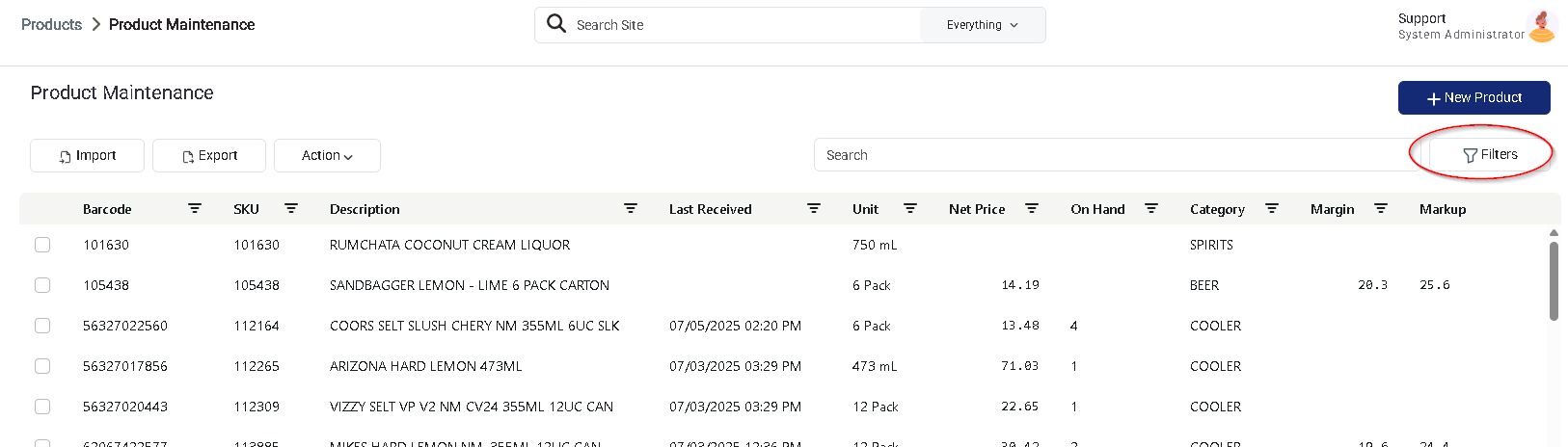
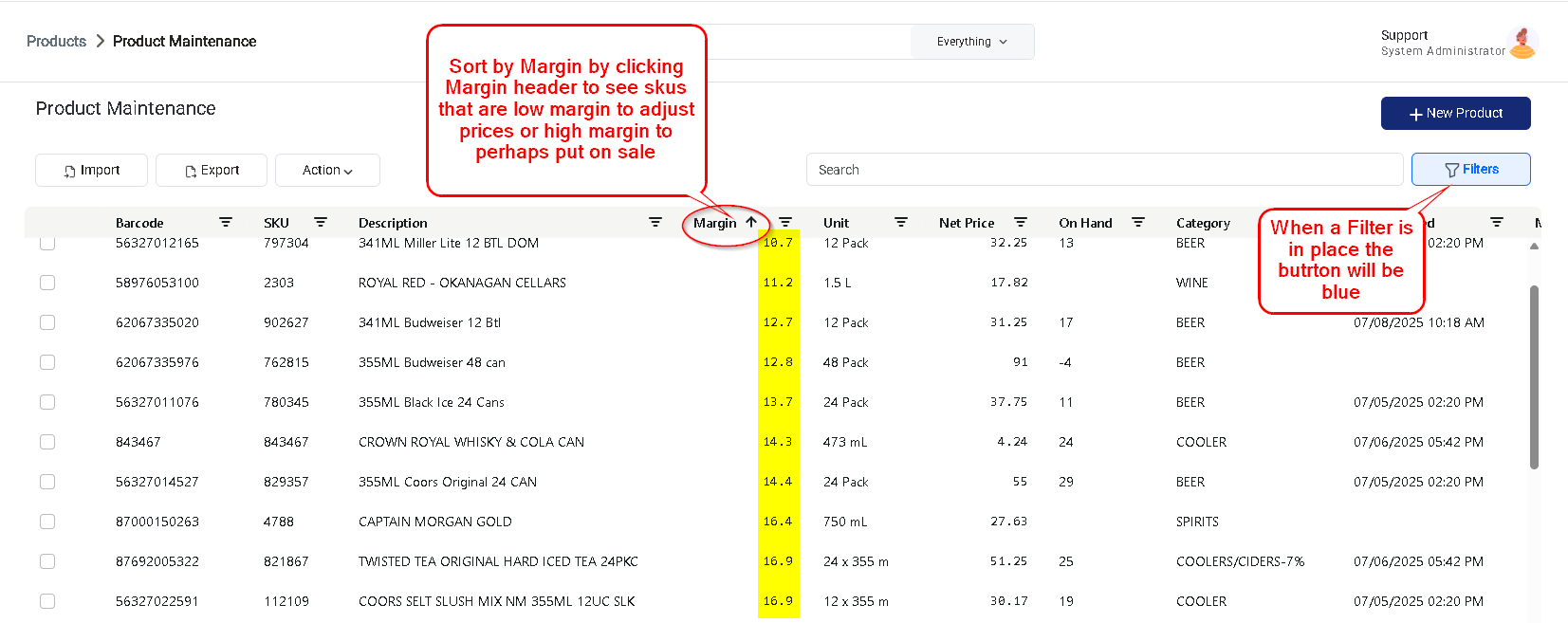
- In Product Maintenance, click Filters (top-right corner).
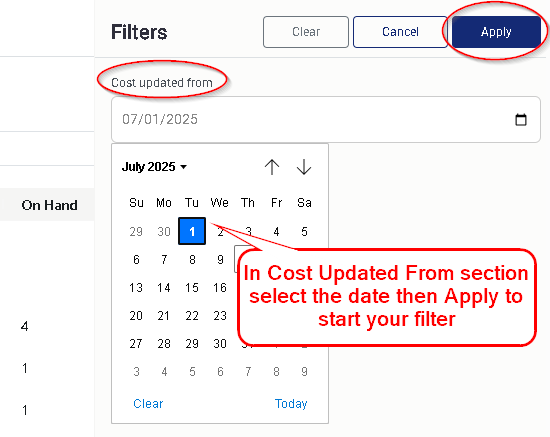
- Under the Cost Updated From field, select the starting date for your filter range and click Apply.
- Sort the filtered list by Margin to easily identify:
- SKUs with low margins that may require a price increase.
- SKUs with high margins that could be discounted or promoted.
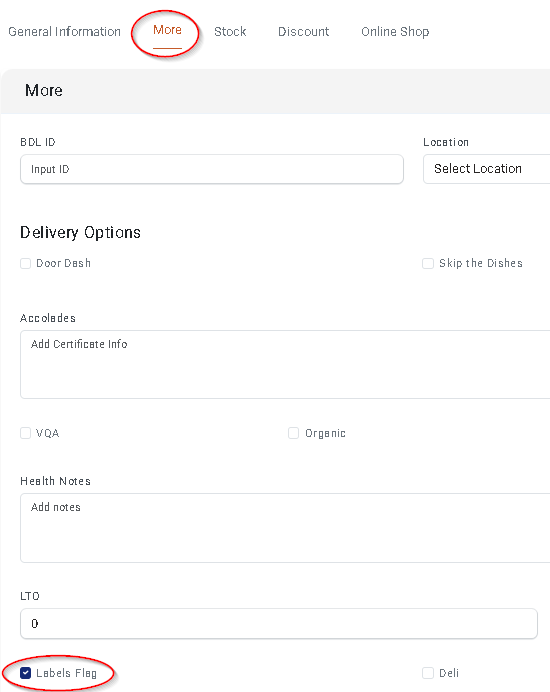
Open each product to review and adjust prices as needed. When a product’s price is changed, it will automatically be flagged for new label printing on the More tab.