Scheduling Emailed Reports
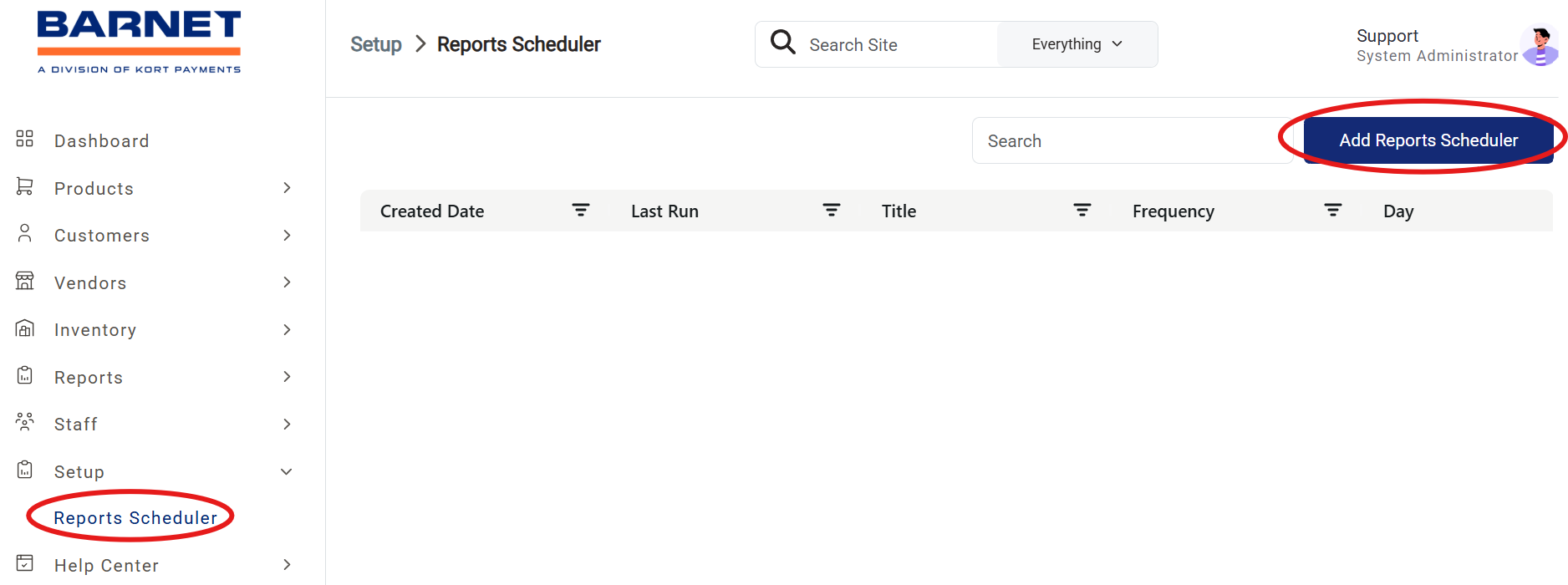
Open Report Scheduler
- Go to the Setup dropdown menu.
- Select Reports Scheduler.
- Click Add Reports Scheduler at the top right of the page.
Configure Report Details
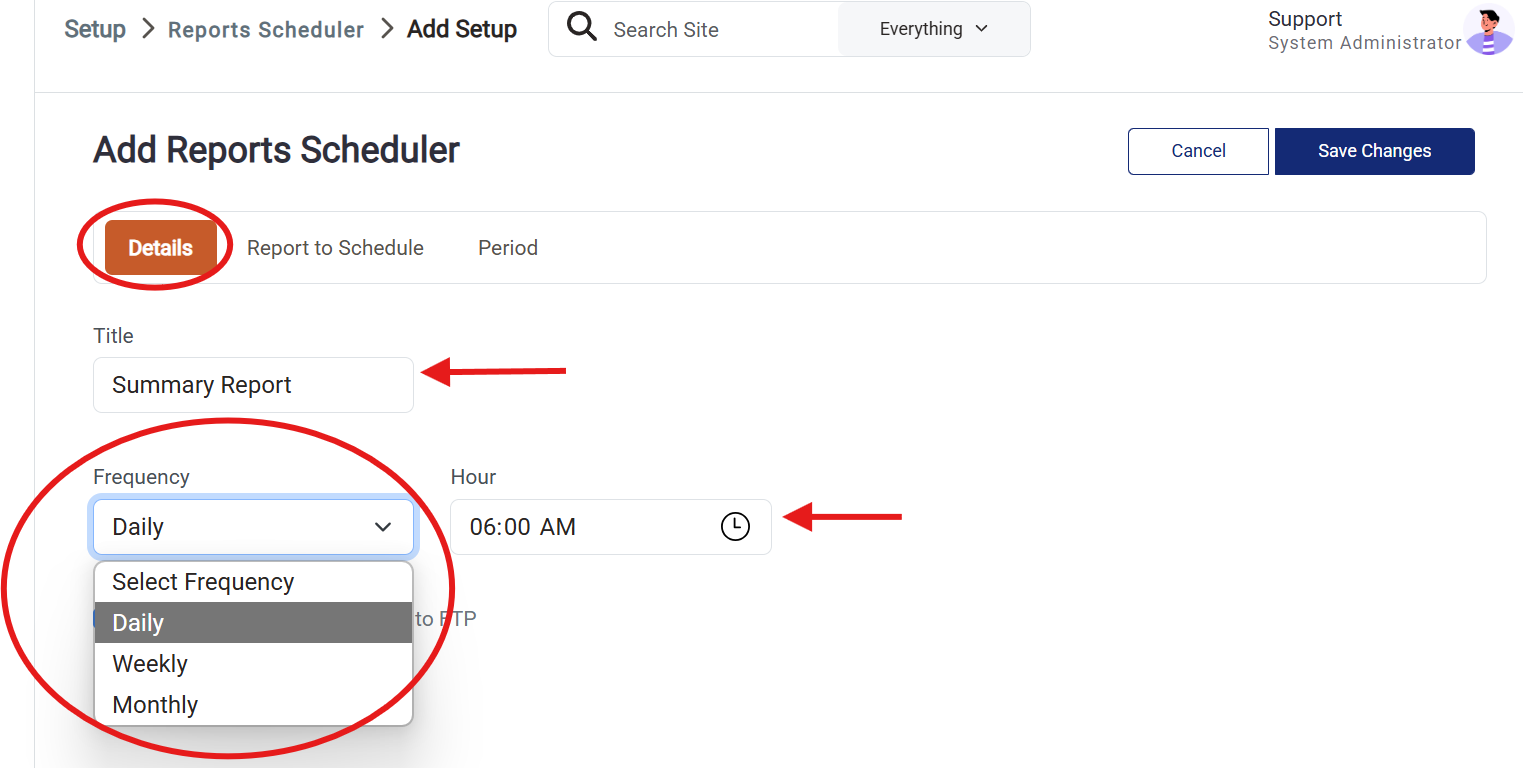
- In the Details tab:
- Enter a name for your report in the Title field.
- Select how often the report should be sent: Daily, Weekly, or Monthly.
- Choose the time you want the report to be emailed.
Select Report and Recipients
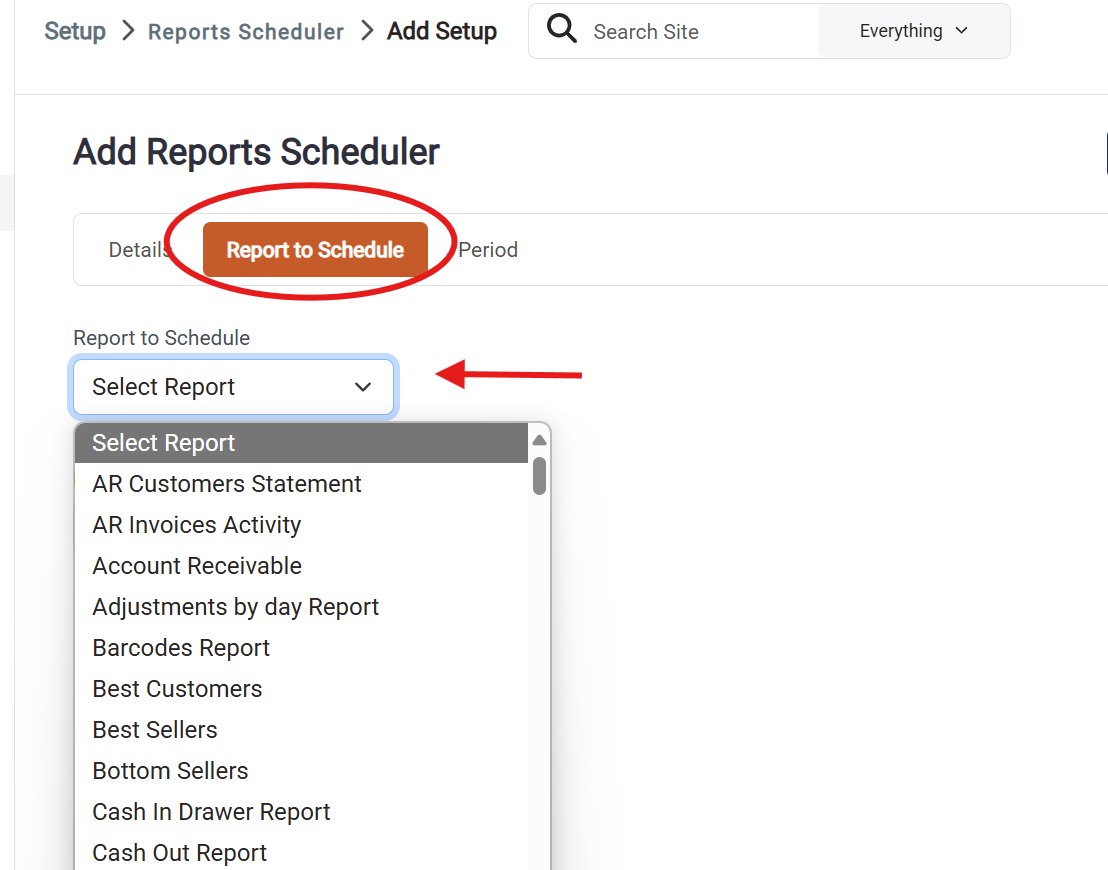
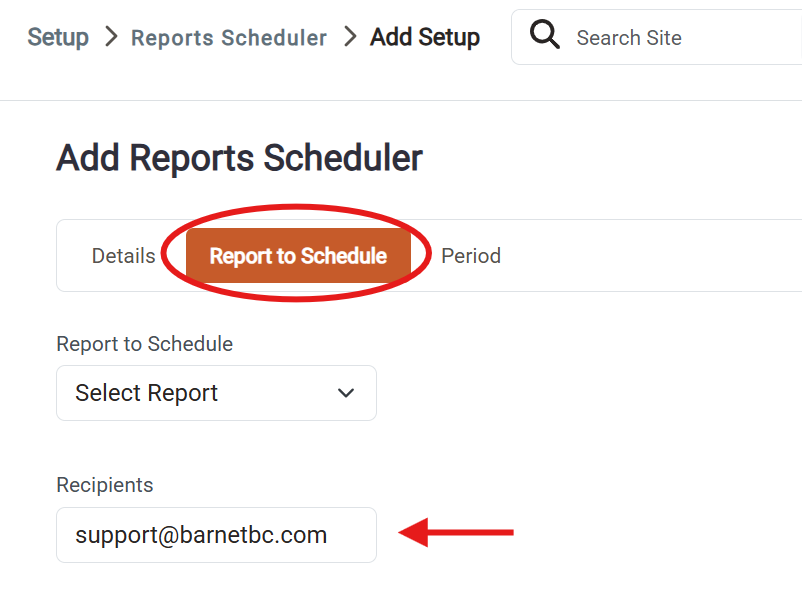
- In the Report to Schedule tab:
- Choose the report you want to schedule from the list.
- Enter the recipient's email address.
- To send the report to multiple recipients, separate each email address with a comma.
Set Report Period and Format
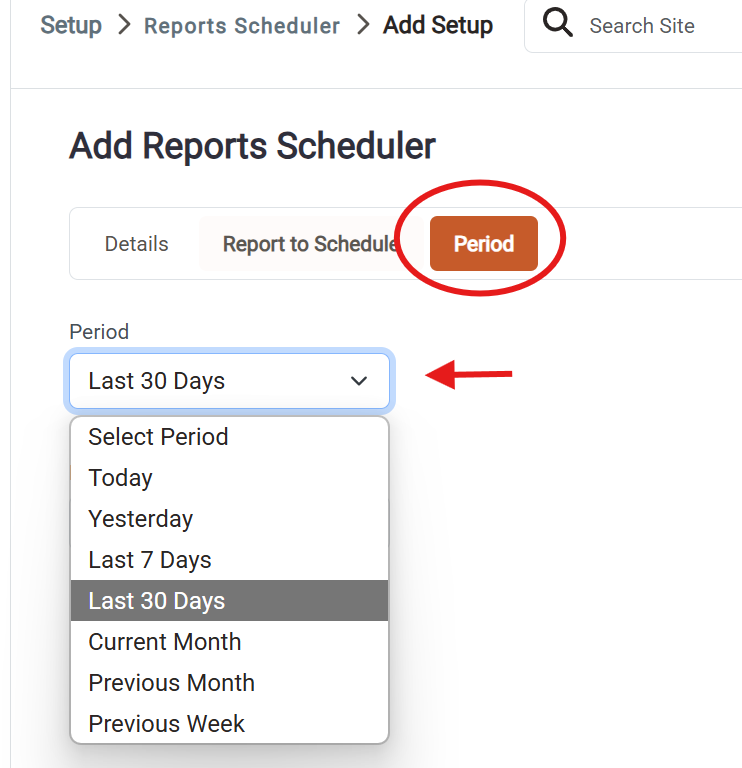
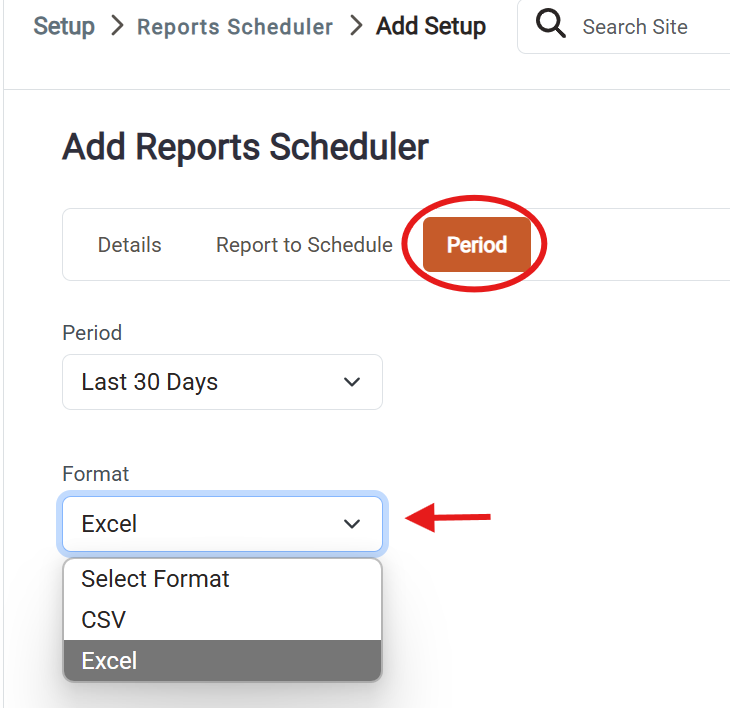
- In the Period tab:
- Choose the time range for the report (e.g., Yesterday, Last 30 Days).
- Select the format for the emailed report: Excel or CSV.