Inventory Spot Adjustment
Barnet Portal for Cannabis Business - Inventory Spot Adjustment
- Go to Product Maintenance
- Select the item
- Check the box as seen below and press the Adjustment button
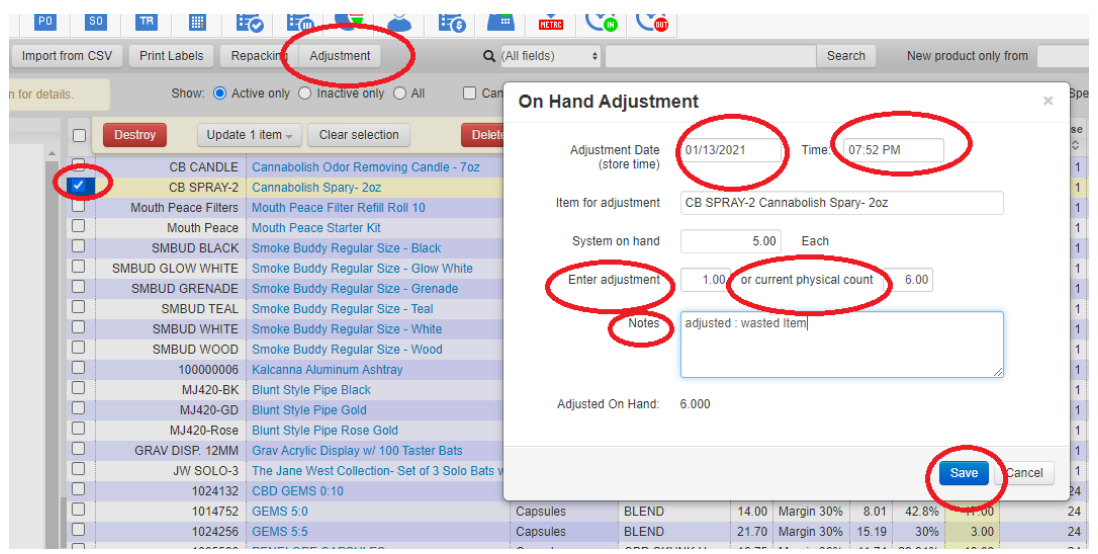
- Select date/time or use ‘current time’
- Enter adjustment (+ or -) or type the current physical count
- You can type a message
- Apply/Save
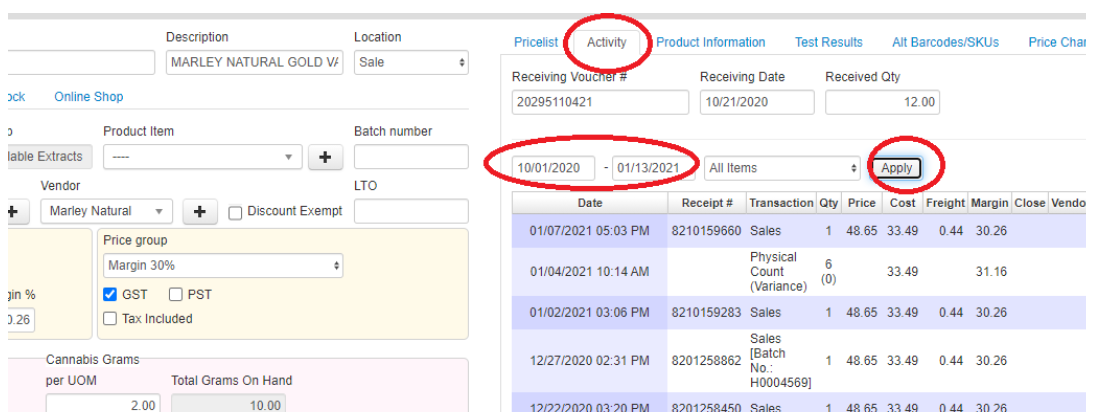
- You can see the adjustment transactions under the Activity tab
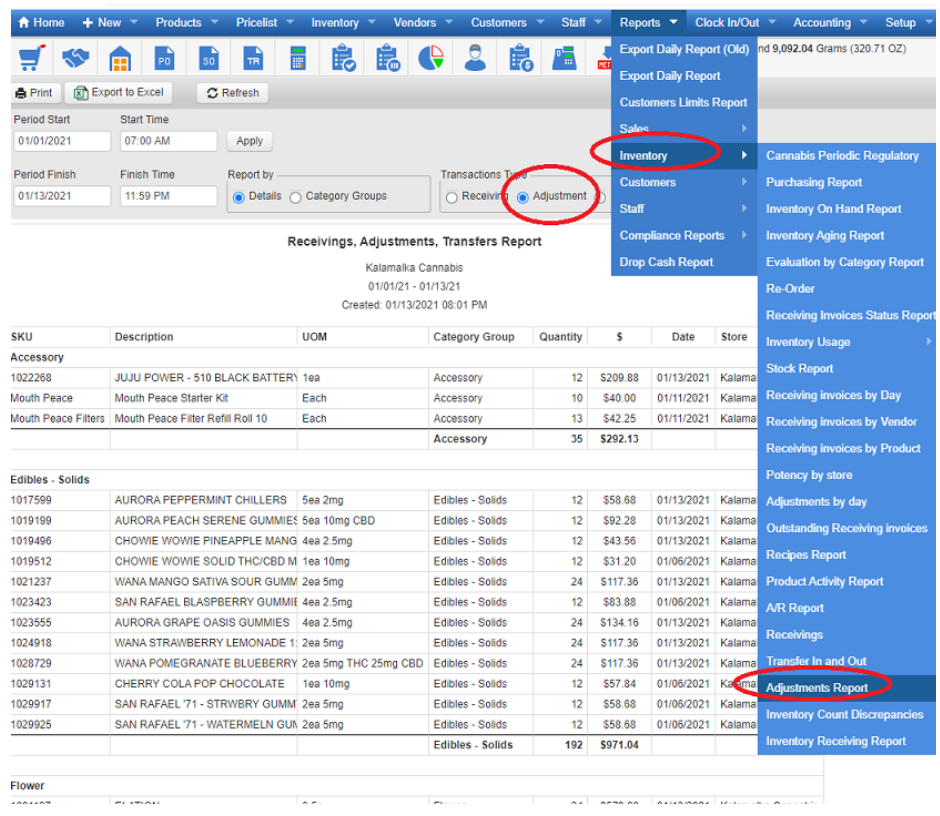
- Go to: Reports > Inventory > Adjustments Report