Custom Reports (Cannabis_LRS Portal)
Portal – Custom Reports
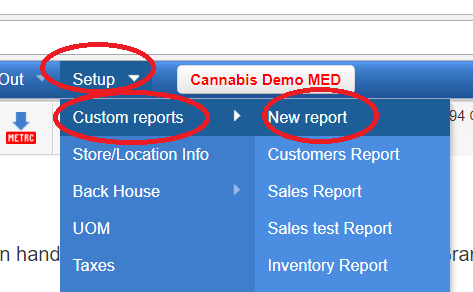
To start, go to Setup > Custom reports > New report:
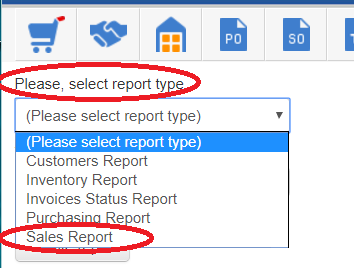
- Please select the report type, for example “Sales Report”
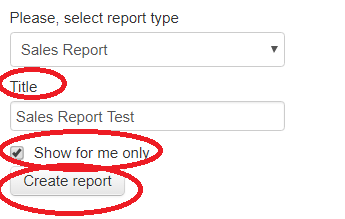
- Enter the Title for the report
- Check off Show for me only if you don’t want to share this report with other users
- Press the Create report button
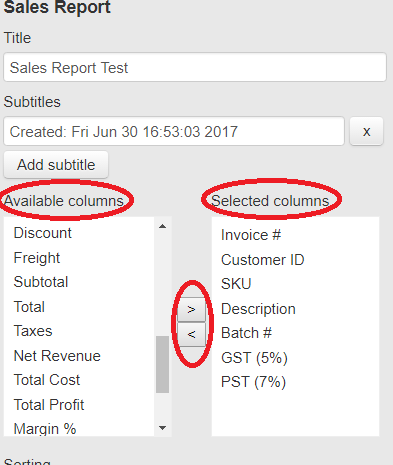
- Select the columns you need to see in the report from Available columns by double-clicking on it or by using the > and < buttons.
- When fields are selected you can use different options to configure the report:
- Setup Sort by
- Group By
- Sales Type
- Special Period
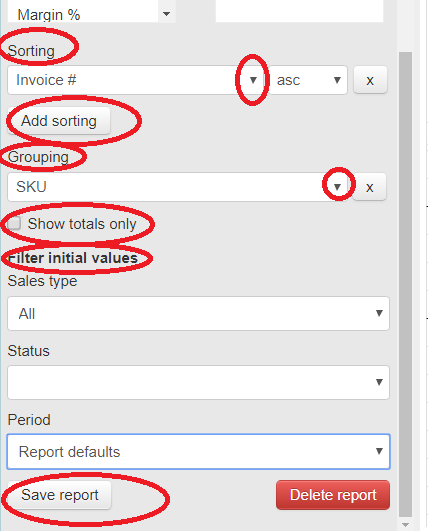
After all the settings are inputted press Save report and it will appear under Setup > Custom reports.

