2Fors and Multiple Discounts Single Item
"2-For" and Multiples Discounts
This feature allows you to set a special discount on select items. Some of those discounts include: 2-for-$X and special pricing for purchasing multiples of the same item.
From Product Maintenance, select the item to be discounted. For this tutorial, we are using:
- SKU:
630996 - Upc:
62067335624 - Desc:
BUDWEISER 710ML SC
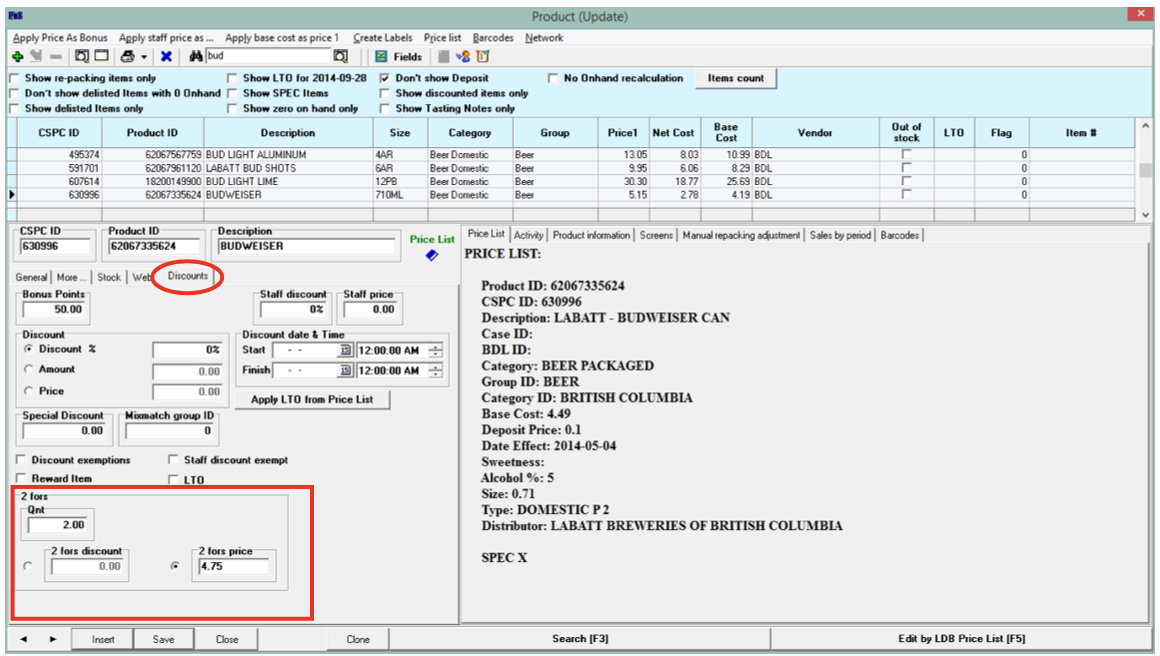
- Select the Discounts tab
-
Locate the 2 fors box. In this example it is in the lower left corner.
(This may vary depending on the POS version in use.)
-
Enter the QTY (quantity) that needs to be purchased to receive the discount
-
Enter the Discount amount or the discounted price of the product.
-
Save
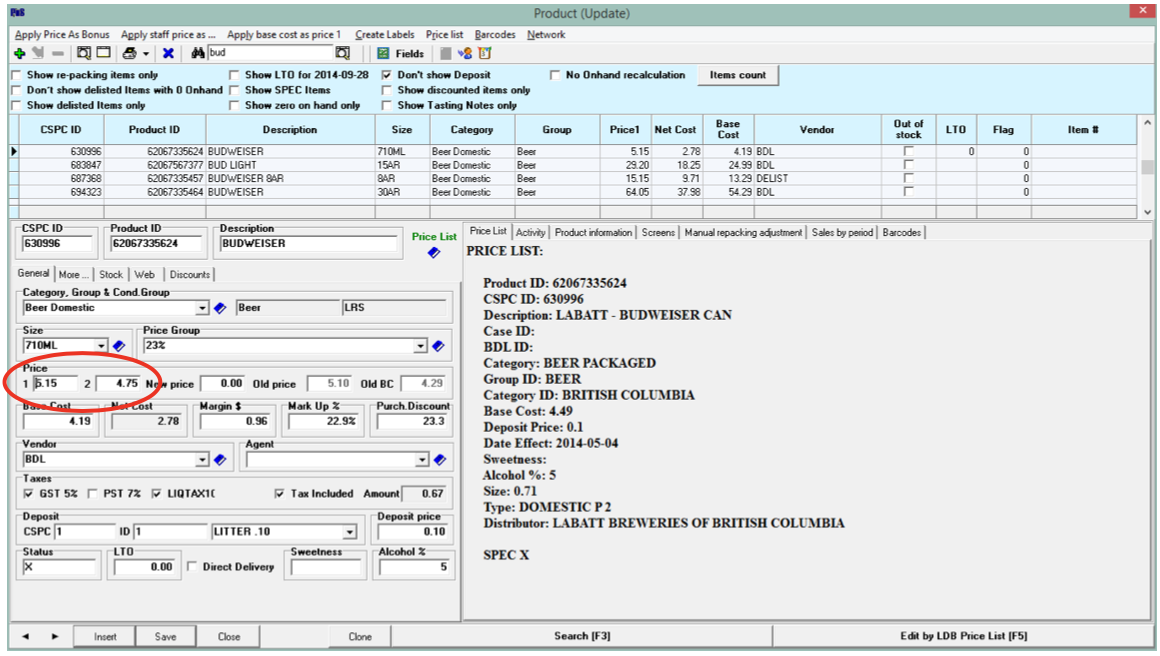
In this example, BUD 710ML SC is normally $5.15 each. If the customer purchases two, they are $4.75 each.
From the General tab there will be two selling prices. One is for regular purchases, the other reflects the ‘2-for’ discount.