Creating Discount with Screen Button
Setting Discounts & Discount Buttons
Create a Discount Group
Create a Discount Group by going to: Customers > Discount Groups
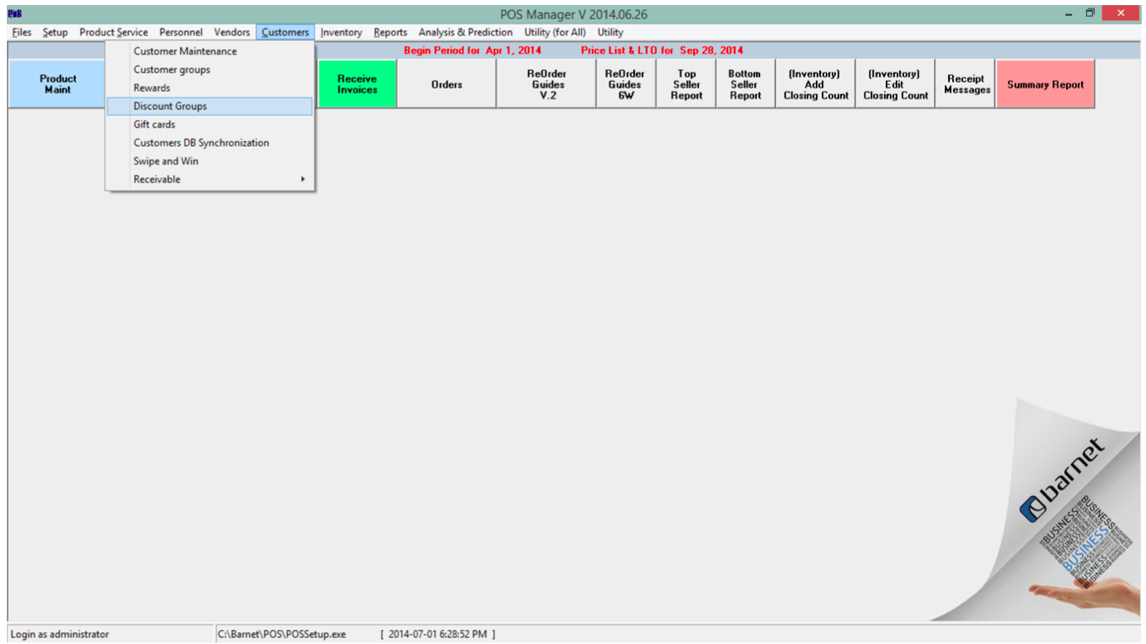
Create a new discount group
Click on the + symbol to create a new discount group
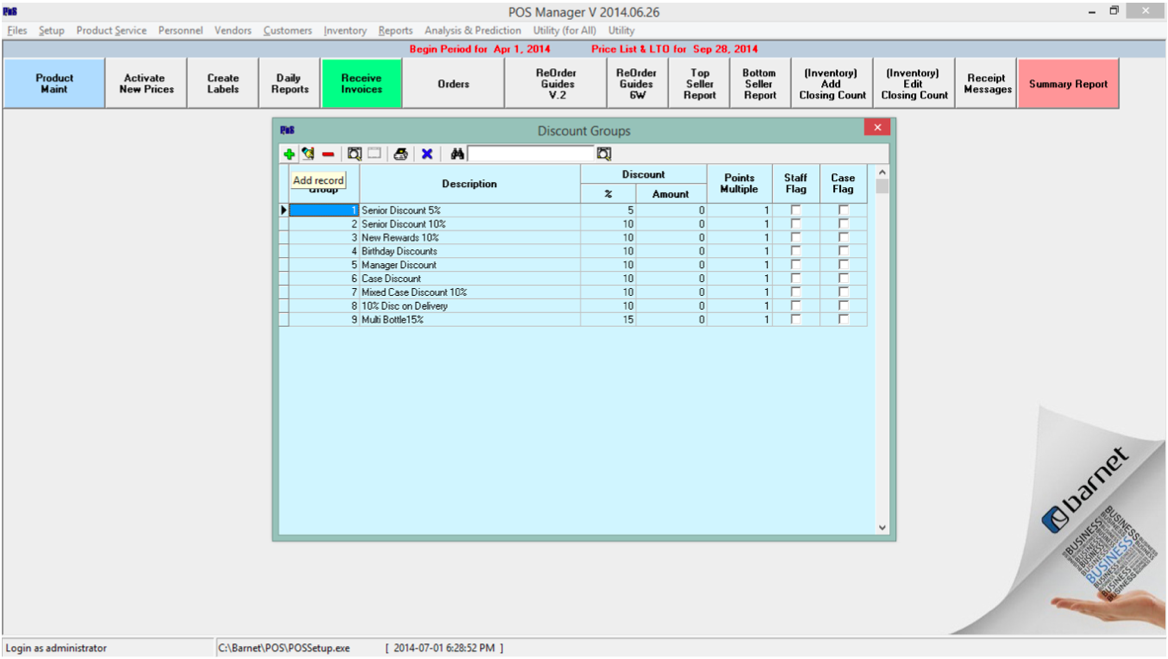
Give the Discount Group an ID and description
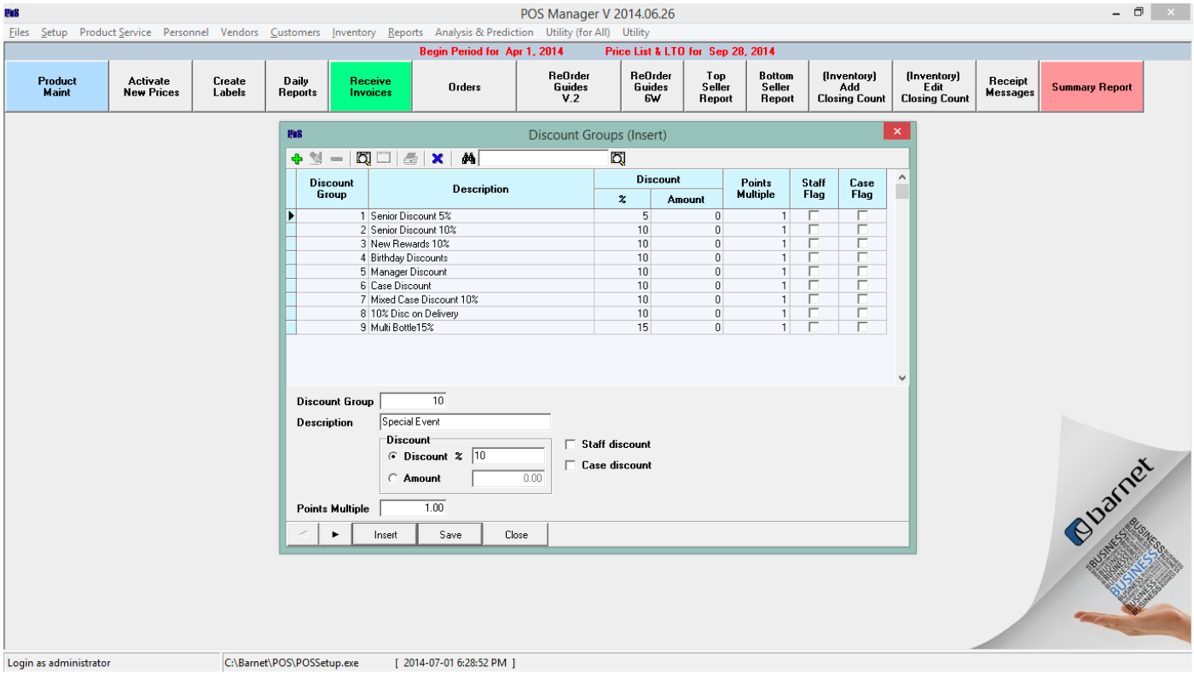
Give the Discount Group an ID and description.
- Fill in the Discount Info ($Amt or %).
- Click on Save.
- Create another Group with Insert or close the window.
Click on an unused button to set the discount
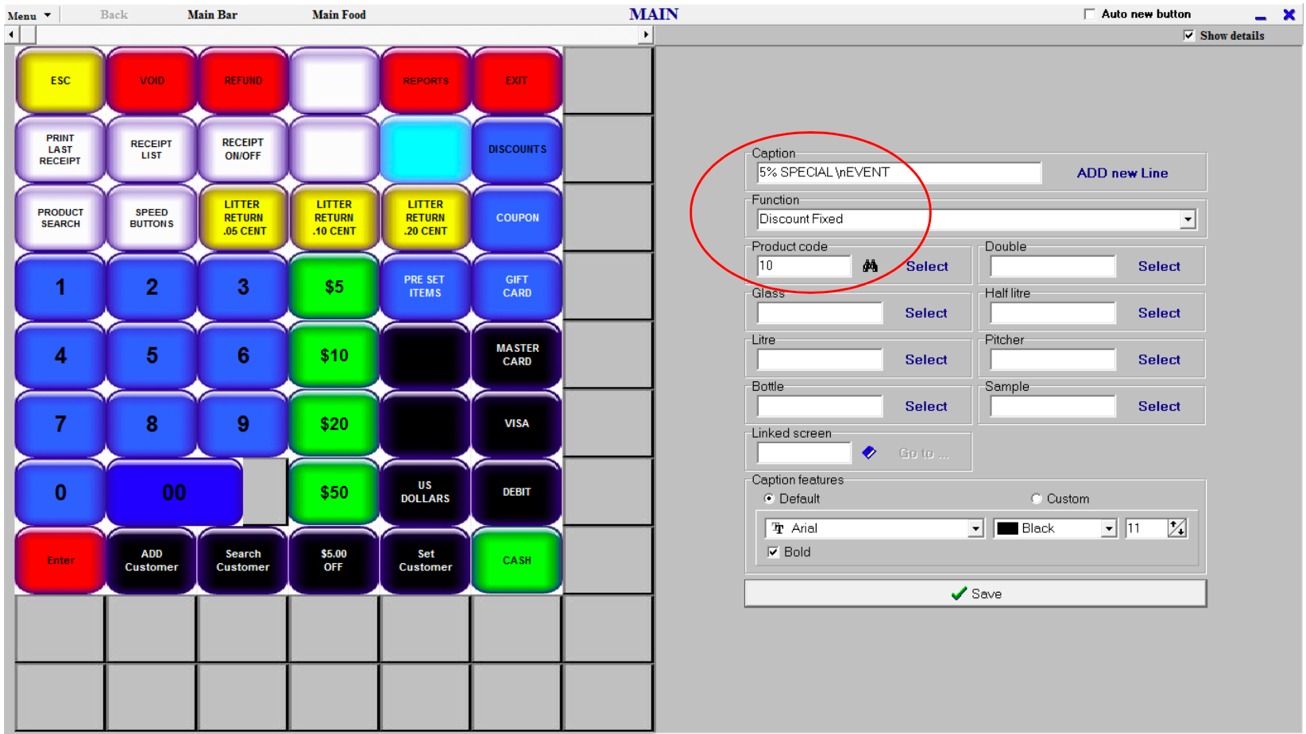
From the screen designer/set-up, click on an unused button to set the discount.
-
Caption --> Name your new button
-
Function --> Select Discount Fixed
-
Product Code = the code of the new Discount Group created
-
Save
Sign-out and back in at the till to see the new button.

