Setting Items for Special Reporting
The following outlines the process for “Showing” and/or “Hiding” certain items, typically non-tangible items, from appearing in Sales and Evaluation reporting. This is typically used for non-retail and service items and/or fees linked to a specific Category that may impact the overall Inventory Evaluation or Sales Reports.
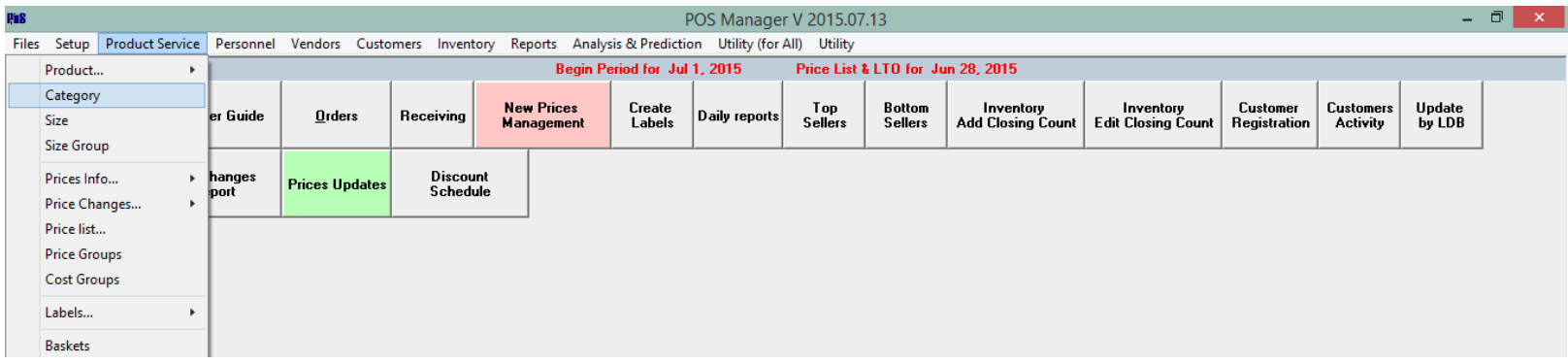
Go to: Product Service > Category
Select the desired category
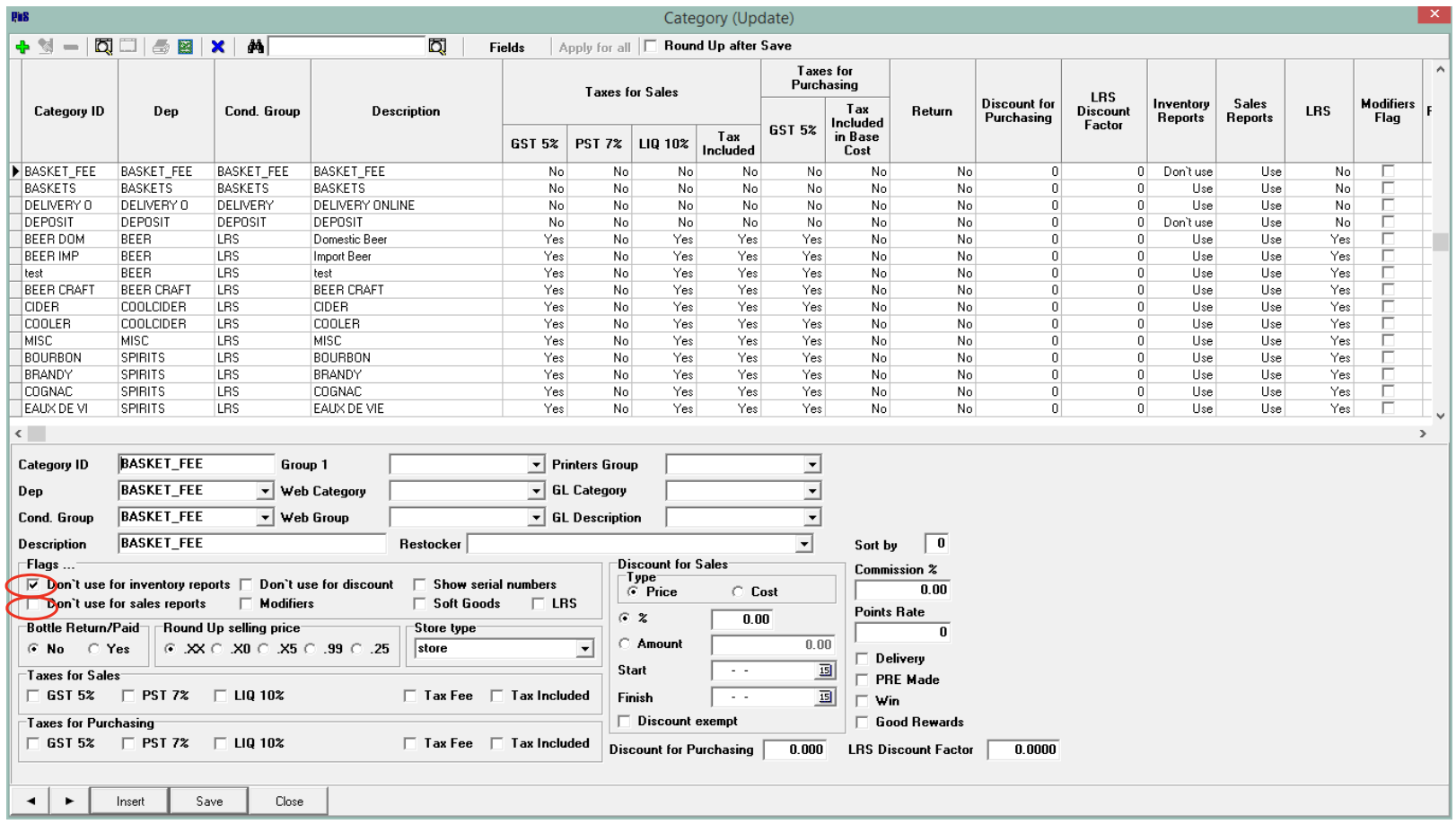
- INVENTORY EVALUATION: To “hide” items linked to this category from appearing in the evaluation report (the value of Inventory On Hand), under Flags, tick the Don’t use for inventory reports.
- SALES REPORTS: To “hide” items from appearing in sales reports, under Flags, tick the Don’t use for sales reports box.
Save changes. These items will no longer appear in the selected reporting.

