Using Barcode Editor
Using the Barcode Editor (to link additional barcodes to a product)
Go to Product > Maintenance via the Product Maintenance button or from the menu as seen below.
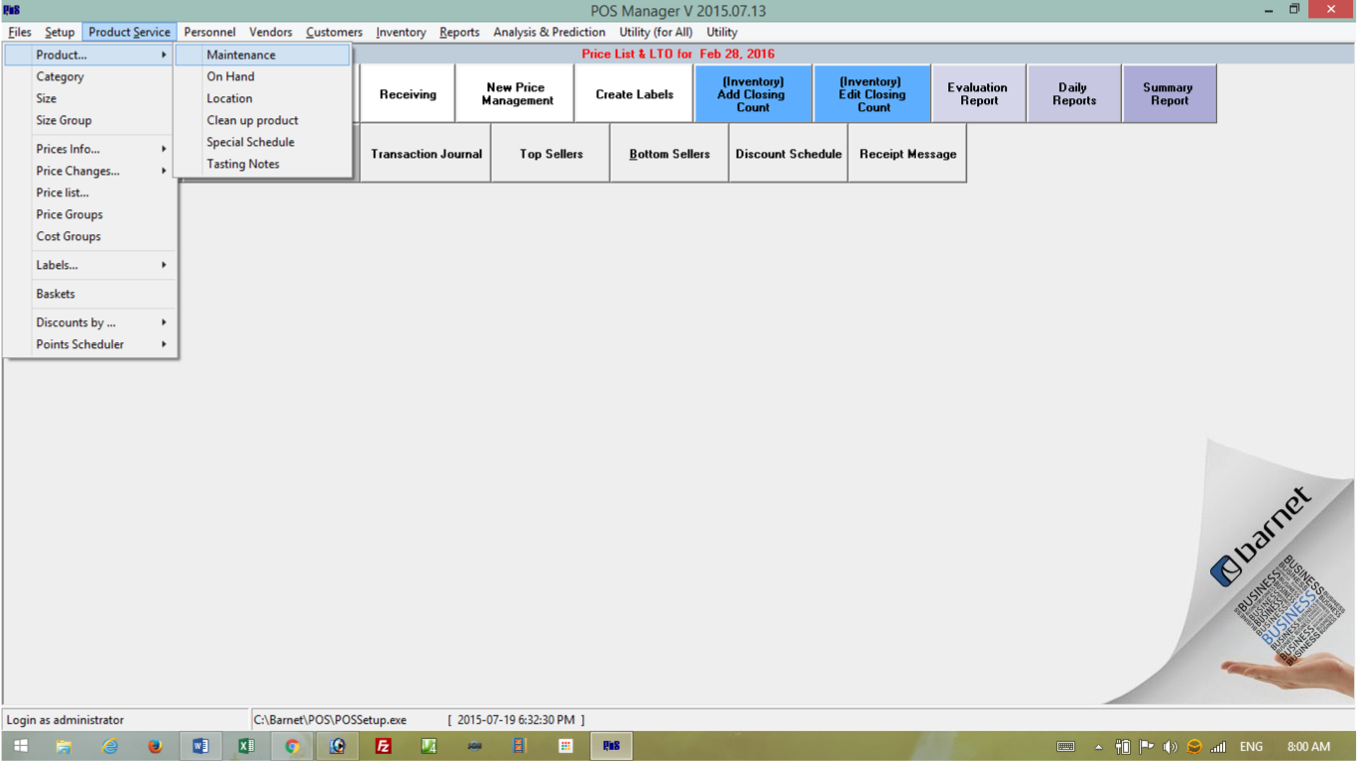
Select the product to update. Open the Barcodes editor tab.
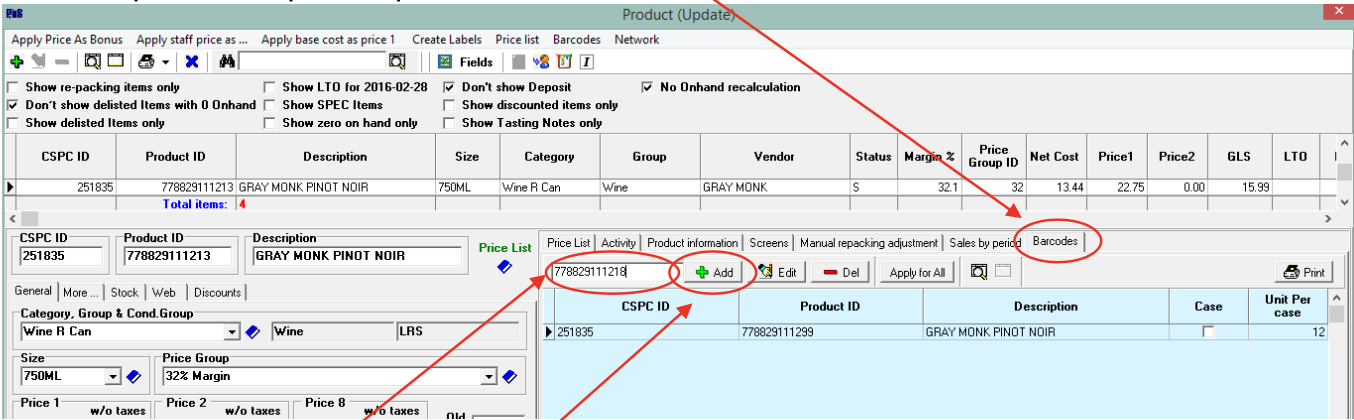
Enter in the new barcode and click the + Add button.
Warning – Use caution when deleting or editing barcodes in the Barcode Editor as there is no ‘undo’ option here.

